
Committed to upholding your fundamental right to safety and security

Check In
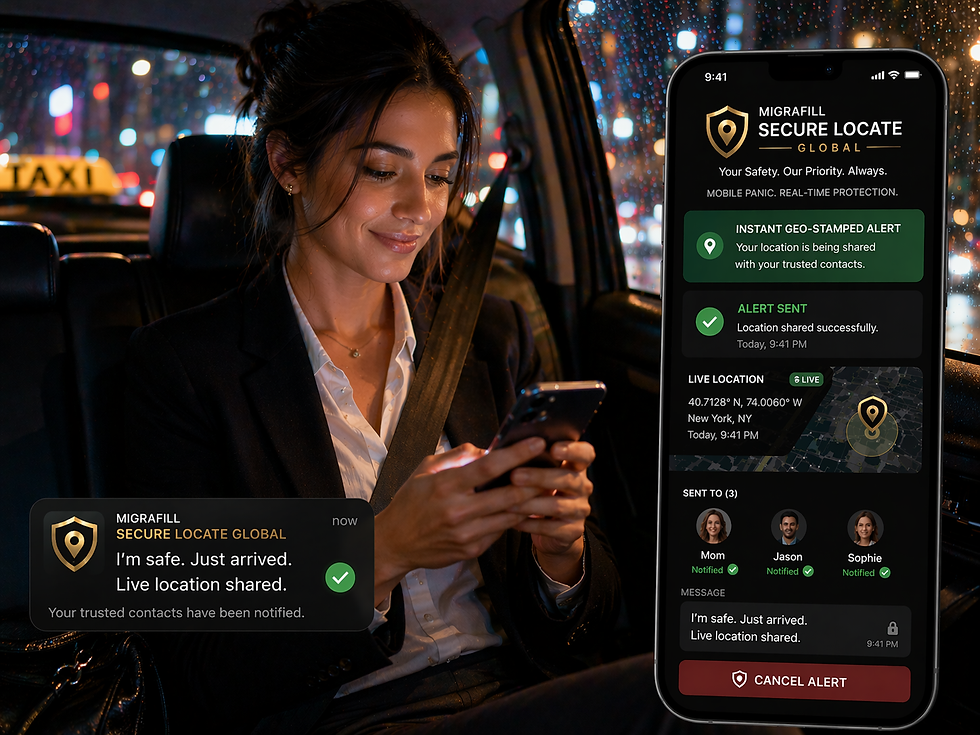
The Check In feature allows you to send a quick, instant geo-stamped notification to your organization and your emergency contacts.
The Check In feature is a simple, useful tool for sharing your current location with a simple click. This may be used when arriving at a particular location, leaving a dangerous location, or whilst walking from point to point.
The Check In feature is found on the home screen * Icon and works by simply tapping it once. This feature is mostly used to send your location to the Dashboard and Emergency contacts. Another example of when it may be used is when arriving at a location and wanting to notify others of your arrival. It's quick, simple, and effective.
Alerts
If you find yourself in a dangerous situation, you can raise an alert by:
-
Holding down the panic button icon
-
Shaking your phone
-
Bluetooth wearables
-
Press the volume button 5 times (Android users only)
Once an alert is raised, your phone begins capturing audio evidence. This is sent to your emergency contacts and a 24/7 police monitoring service, who will assess your situation and dispatch emergency services to your location if you require assistance.
To cancel an alert, you’ll be prompted to enter your PIN. If you have been forced to cancel an alert, you can enter a duress PIN of 9999, which will escalate your alert to the monitoring centre.

iOS Widget

The Lock Screen Widget offers quick, seamless access to initiate and manage safety alerts directly from your phone’s lock screen. It is designed to ensure users can raise or cancel alerts with minimal friction — even without unlocking their device.
The new Locate Global iOS widget gives users a quick, discreet way to raise an alert when opening the app or unlocking the phone is not possible. It offers instant access to SOS and check-in features from the home screen, making it ideal for moments when every second counts and visibility needs to be low.
Ghost Mode
Switching on Ghost Mode allows you to hide your location whilst you are logged into Locate Global.
Ghost Mode
Ghost Mode is a powerful privacy tool for you to take control of your own privacy. The feature masks your live location from your organisation’s dashboard so that no one can see where you are.
However, as soon as you raise an alert, Ghost Mode is automatically disabled and your location is shared. This is so that assistance can be sent to your location if needed.
You may wish to use this feature when you are on the move but still want to remain safe by having the app running in the background. Ghost Mode enables you to mask your location while active, providing an added level of privacy and reducing the feeling of being constantly monitored.
